Learn WordPress… fast!

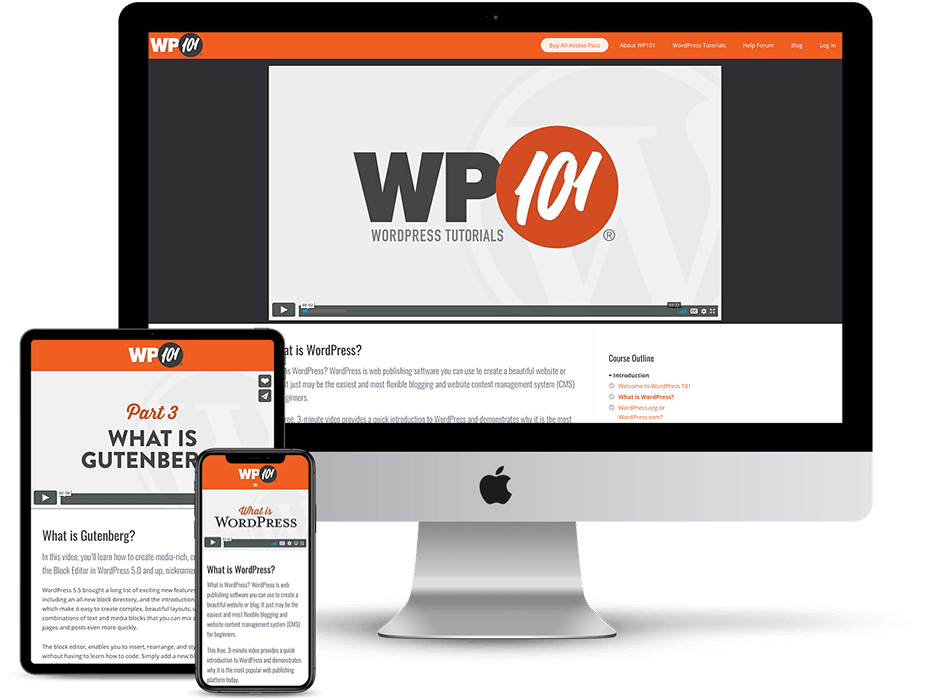
The WP101 video tutorial series is the fastest way to learn how to use WordPress 3.3!

Who’s got time to read tech books? Our HD-quality “WordPress 101″ tutorial videos will teach you how to use WordPress to create and manage your own website in about an hour. Ready to get started?

      Start Learning Now →   

See why 6072 folks have chosen to learn WordPress using the WP101 tutorial series…

  • 22 professionally-produced, HD-quality videos. No more scouring YouTube!
  • Pay just once. Your one-time payment entitles you to all future videos!
  • Always up to date! Most recent version covers WordPress 3.3.
  • Watch the videos online anytime, even on your iPad or iPhone!
  • FREE updates as new versions of WordPress are released!
  • FREE access to our members-only WordPress Q&A board!

Read what folks are saying about WP101...

"All I can say is, 'WOW!' As someone who has been creating video tutorials for years, I know how much work goes into creating a tutorial course. Thanks goodness Shawn has created these, so I don't have to. Hallelujah! I cannot wait to tell my clients about them. You'll make me look like a rock star, Shawn (when in truth, YOU'RE the rock star)!"

Andrea Kalli, VirtualAssist.net

"The WP101 videos were exactly what we were looking for to provide our clients with ongoing guidance on how to operate their Wordpress site. The videos (and subsequent updates) have been an invaluable tool and saved us significant time while enhancing our service package offering!"

Stephanie Sammons, CEO, Wired Advisor

"As a web developer, I offer WP101 to all of my clients. It decreases support calls and shows the client how to use all the features of WordPress, increasing the value they get from a WordPress powered website. It's a huge help to my business."

Bill Erickson, WordPress Consultant

"These are the perfect videos for a newbie… and a novice. I learned things I didn't even know I needed. You will too."

Click here to read more testimonials! →

Sheila Atwood, NewbieLifeline.com

What is WordPress?

WordPress.com or WordPress.org?

How to Install WordPress

The Dashboard

Creating a New Post

Edit an Existing Post

Using Categories and Tags

Creating and Editing Pages

Add Photos and Images

How to Embed Video

Using the Media Library

Managing Comments

How to Create a Link

Changing the Theme

Adding Widgets

Building Custom Menus

Installing Plugins

Adding New Users

Useful Tools

Configuration Settings

Undoing Mistakes with Post Revisions

Understanding Permalinks

WordPress Tutorials from WP101The easiest way to learn how to use WordPress... fast!